Metrc Package Inventory US Only
See every active Metrc package synced from the state API, search and sort by label or item name, and sync on demand.
Solo para tiendas de EE. UU.
Esta página aparece cuando tu tienda tiene una clave de API de Metrc conectada. Consulta el artículo de Integración con Metrc para conectarla.
Qué es la página Paquetes
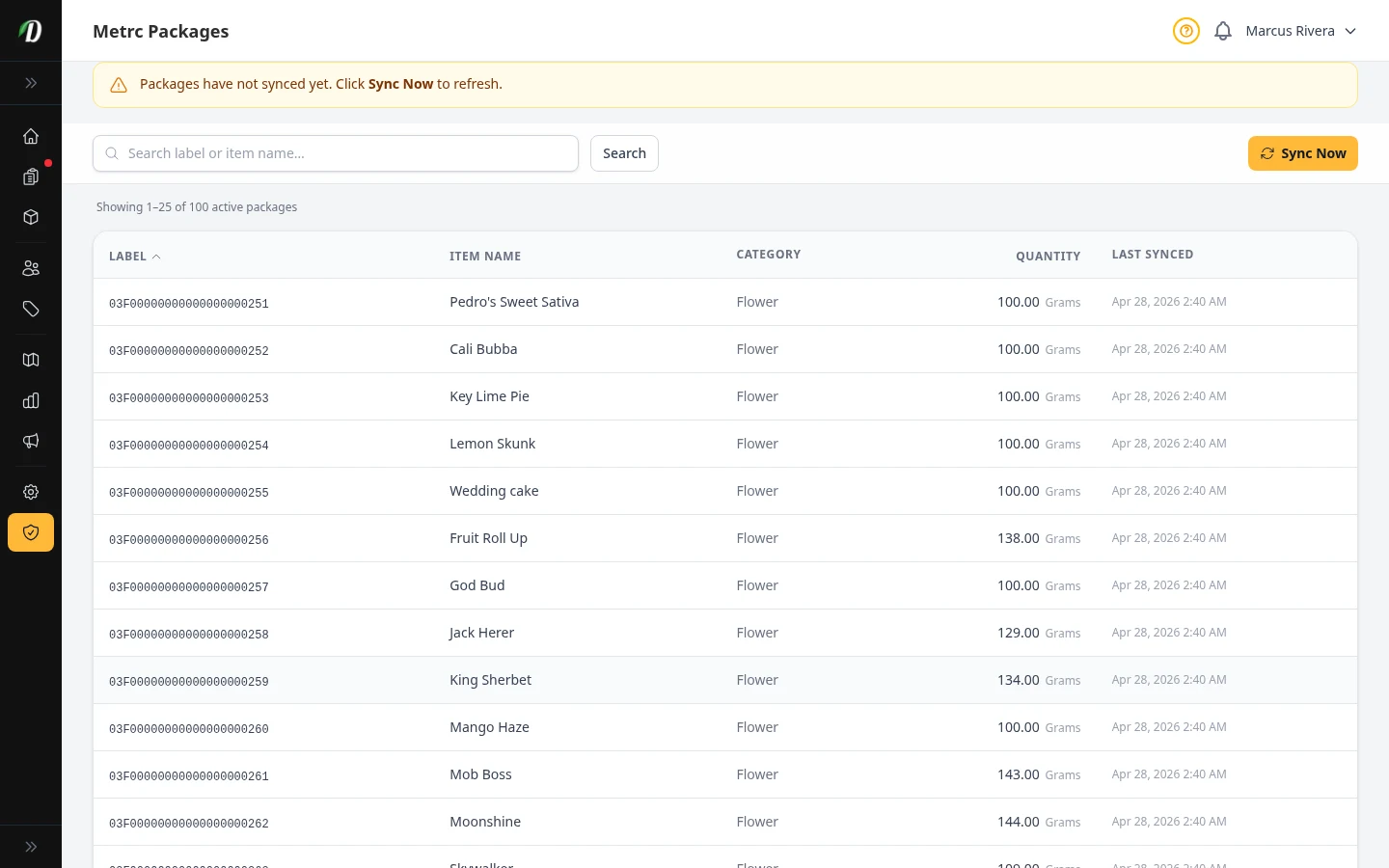
La página refleja tu inventario activo de Metrc: cada etiqueta de paquete de tu licencia, con su nombre, categoría, cantidad y unidad. DabDash obtiene estos datos de la API de Metrc para que no tengas que entrar en Metrc por separado.
Es una vista de solo lectura. Para vincular los paquetes con los productos que vendes en DabDash, usa la página Asignación de paquetes.
Mantener los paquetes actualizados
Los paquetes se sincronizan cada 15 minutos. Si cambiaste algo directamente en Metrc, haz clic en Sincronizar ahora para obtener los datos de inmediato.
Un aviso aparece si aún no hay datos o están atrasados. La columna Última sincronización muestra cuándo se actualizó cada fila.
Buscar un paquete
Usa el buscador para filtrar por etiqueta o nombre del artículo. Haz clic en una columna —Etiqueta, Nombre, Cantidad o Última sincronización— para ordenar la tabla; vuelve a hacer clic para invertir el orden.
Consejo: Si aparece un error de sincronización, vuelve a intentarlo después de unos minutos. La mayoría de los errores temporales de la API de Metrc se resuelven por sí solos.