Metrc Compliance US Only
Track reporting status, nightly reconciliation runs, and recent Metrc API activity for your compliance records.
Qué controla esta página
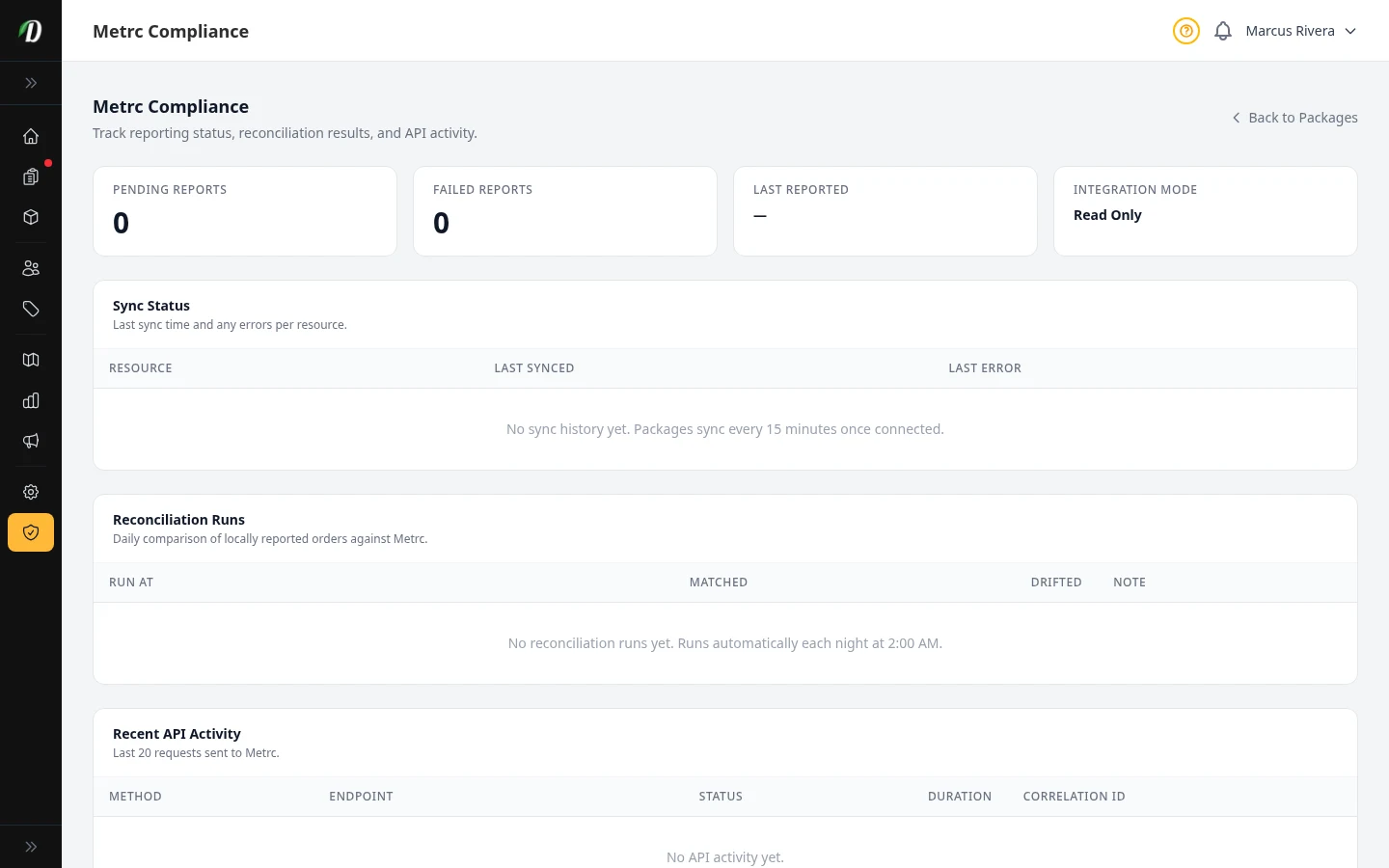
La página Cumplimiento muestra si DabDash y Metrc coinciden. Reúne cuatro tarjetas, el estado de sincronización de cada recurso, el historial de conciliaciones nocturnas y las últimas 20 solicitudes enviadas a la API de Metrc.
Las cuatro tarjetas
- Reportes pendientes
- Ventas que esperan ser enviadas a Metrc. En condiciones normales, este número debe bajar rápidamente.
- Reportes fallidos
- Reportes rechazados por Metrc o que DabDash no pudo enviar. Si es mayor que cero, revísalo primero.
- Último reporte
- Fecha y hora del reporte enviado correctamente más reciente.
- Modo de integración
- Indica si la conexión es de solo lectura o si reporta ventas activamente. Se define en la página de integración de Metrc.
Estado por recurso
Cada recurso de Metrc se sincroniza según su propio horario. La tabla muestra la última sincronización correcta y el error del intento más reciente. Un punto rojo indica que el recurso está desactualizado —más de 24 horas— o que falló su último intento.
Conciliaciones
Cada noche a las 2:00 a. m., DabDash compara los pedidos reportados con los registros de Metrc. Cada ejecución indica cuántos coincidieron y cuántos presentan diferencias; esas filas requieren revisión manual.
Actividad reciente de la API
Consulta las últimas 20 solicitudes enviadas a Metrc, con método, endpoint, estado de respuesta, duración e ID de correlación. Si necesitas ayuda de Metrc con un reporte fallido, comparte ese ID.
Consejo: Si aparece el aviso de sincronización atrasada, visita la página de Paquetes y haz clic en Sincronizar ahora.